
A website audit is the process of analyzing your website to identify SEO issues, technical errors, and performance problems that may affect your rankings on search engines.
With Serpspur, you can perform a complete SEO audit in just a few clicks and get detailed insights about your website’s performance, traffic, backlinks, and optimization issues.
Step 1: Open the Serpspur Audit Tool
Go to Serpspur and open the Website Audit Tool from the dashboard.


Explanation
This is where you start the audit process using Serpspur.
Step 2: Enter Your Website URL
After entering your domain and selecting the target country, click on the “Create Scan” button to begin the audit.

Explanation:
Once you click on “Create Scan”, Serpspur starts analyzing your website. During this process, the tool crawls your pages and gathers important SEO data such as page structure, links, and technical issues.
🔹 Step 3: View Your Project in Projects Overview
Once the scan is completed, your website will appear in the Projects Overview section.

Explanation:
In this section, you can see all your scanned websites along with their audit status.
Your project will display:
- Project Name (Domain): Your website (e.g., Frishay.com)
- Pages Processed: Number of pages scanned (e.g., 1/1)
- Completion Status: Shows scan progress (e.g., 100% completed ✅)
- Last Run: Time when the audit was completed.
- Actions Panel: Options to view detailed results, share, or manage the project
🔹 Step 4: View Detailed SEO Audit Report
After clicking on the View (👁) button, you will be redirected to the detailed audit report of your website.
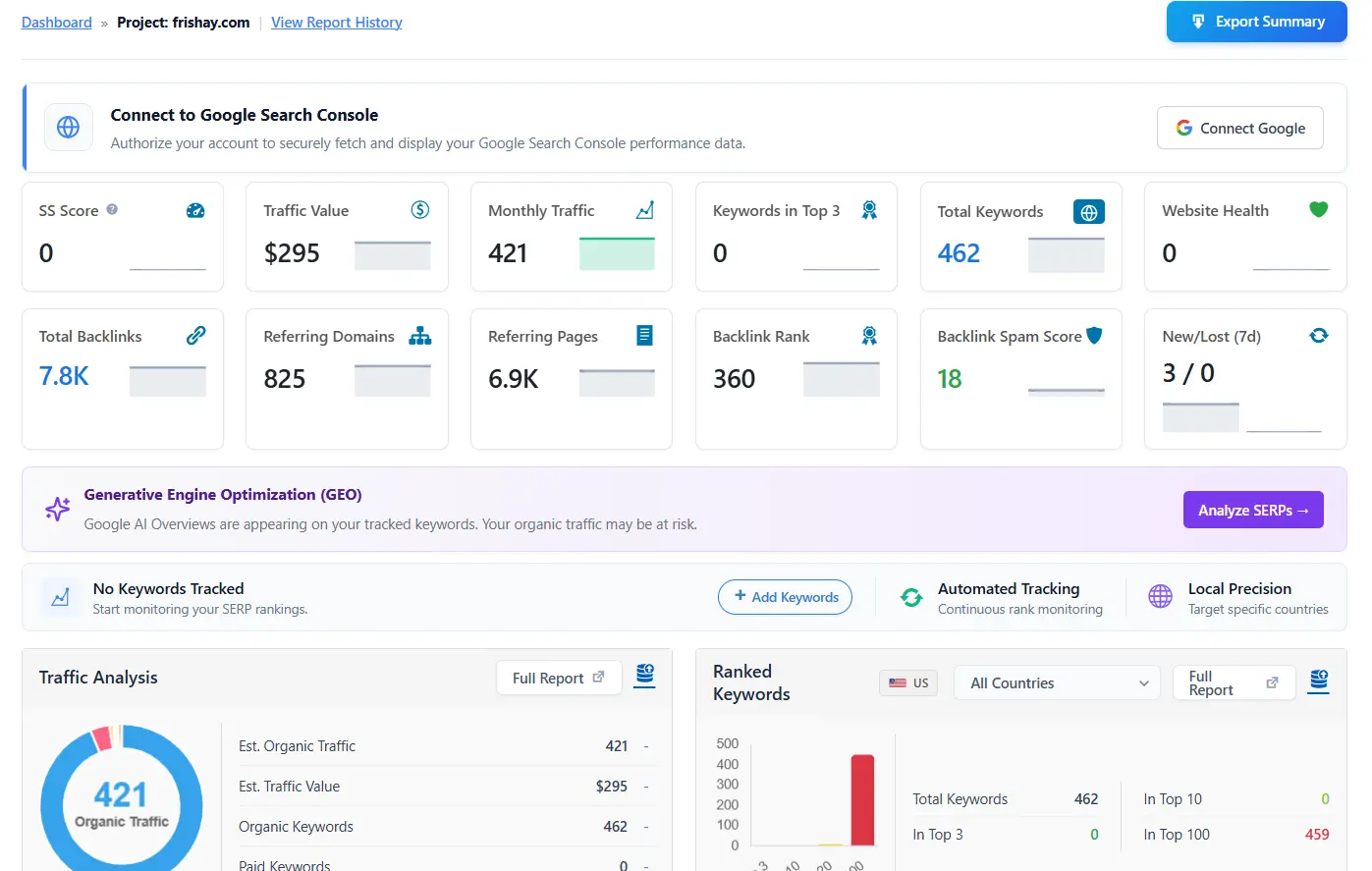
Explanation:
In this section, you can view all important SEO data and performance metrics in one place. The dashboard provides a full overview of your website, including:
- SEO Score (overall site health)
- Monthly Traffic and Traffic Value
- Total Keywords and ranking positions
- Website Health status
- Backlink data (total backlinks, referring domains, spam score, etc.)
You can also explore visual graphs and reports to better understand your traffic and keyword performance.
View Complete SEO Data
Serpspur allows you to analyze every aspect of your website, including:
- Traffic insights
- Keyword rankings
- Backlink profile
- Overall SEO performance
This helps you clearly understand your website’s strengths and weaknesses.
📥 Export Your Audit Report
If you want to save or share your audit results, Serpspur also provides an Export Summary feature.
You can:
- Download your audit report as a file
- Share it with clients or team members
- Keep records for future comparison
This makes it easy to track your SEO progress over time.