Backlinks are one of the most important factors in SEO. They show how many other websites are linking to your site, which helps improve your rankings on search engines. With Serpspur, you can easily check the total number of backlinks pointing to your website.
Step 1: Enter Your Domain & Create Scan
Go to Serpspur and enter your website URL in the search bar. Then click on the “Create Scan” button to start the analysis.

Explanation:
Serpspur will scan your website and collect SEO data, including backlinks, keywords, and traffic.
Step 2: Open Project Overview
After the scan is completed, go to the Projects Overview section and open your project.

Explanation:
Once the scan reaches 100%, your project will be ready to view detailed data.
Step 3: View Total Backlinks
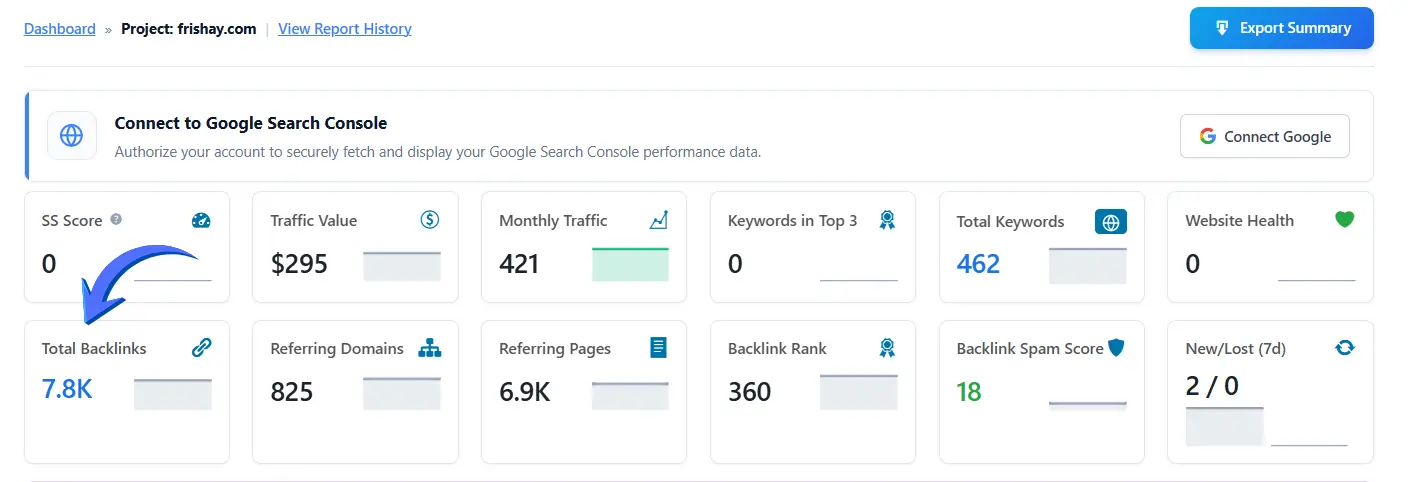
After opening the project, you will see the main dashboard with overall SEO data.
Explanation:
Here, you can find the “Total Backlinks” section, which shows the total number of backlinks pointing to your website.
You will also see:
- Referring domains
- Referring pages
- Backlink rank
- Spam score
Step 4: Analyze Backlink Details
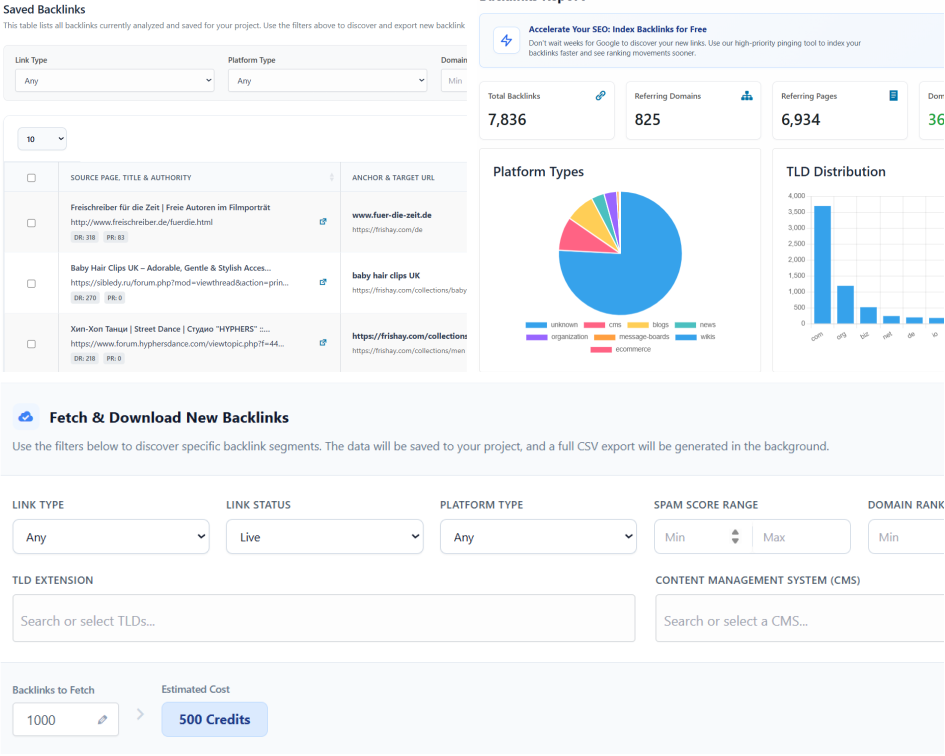
After clicking on Total Backlinks, you will be redirected to the Backlinks Report section where you can analyze complete backlink data of your website.
Explanation:
In this section, you can see an overview of your backlink profile, including:
- Total Backlinks
- Referring Domains
- Referring Pages
- Domain Rank
- Spam Score
- New/Lost Backlinks
You will also see visual charts like:
- Platform types (blogs, CMS, etc.)
- TLD distribution (.com, .org, etc.)
- Country-based backlink data
Detailed Backlink Analysis
Scroll down to explore detailed backlink data.
Here, you can filter backlinks based on:
- Link type
- Platform type
- Spam score
- Domain rank
- TLD (domain extensions)
You can also request and fetch more backlinks data if needed.
Detailed Backlink Analysis
Scroll down to explore detailed backlink data.
Here, you can filter backlinks based on:
- Link type
- Platform type
- Spam score
- Domain rank
- TLD (domain extensions)
You can also request and fetch more backlinks data if needed.