Tracking keyword positions daily is essential to understand how your SEO efforts are performing. With Serpspur, you can monitor your keyword rankings automatically and make data-driven decisions to improve your visibility on search engines.
In this guide, we’ll walk you through the exact steps to track keyword positions daily using Serpspur.
Step 1: Open Serpspur Dashboard
Go to Serpspur and open the Website Audit Tool from the dashboard.

Explanation
This is where you start the audit process using Serpspur.
Step 2: Enter Your Domain & Create Scan
Go to Serpspur and enter your website URL in the search bar. After that, click on the “Create Scan” button to start the analysis.

Explanation
Once you enter your domain and start the scan, Serpspur will automatically analyze your website and collect important SEO data such as keyword rankings, traffic insights, and backlinks.
Step 3: Open Project Overview
After the scan is completed, go to the Projects Overview section and open your project.

Explanation
Once the scan reaches 100%, your project will be ready to view detailed data.
Step 4: View Project Data & Access Total Keywords
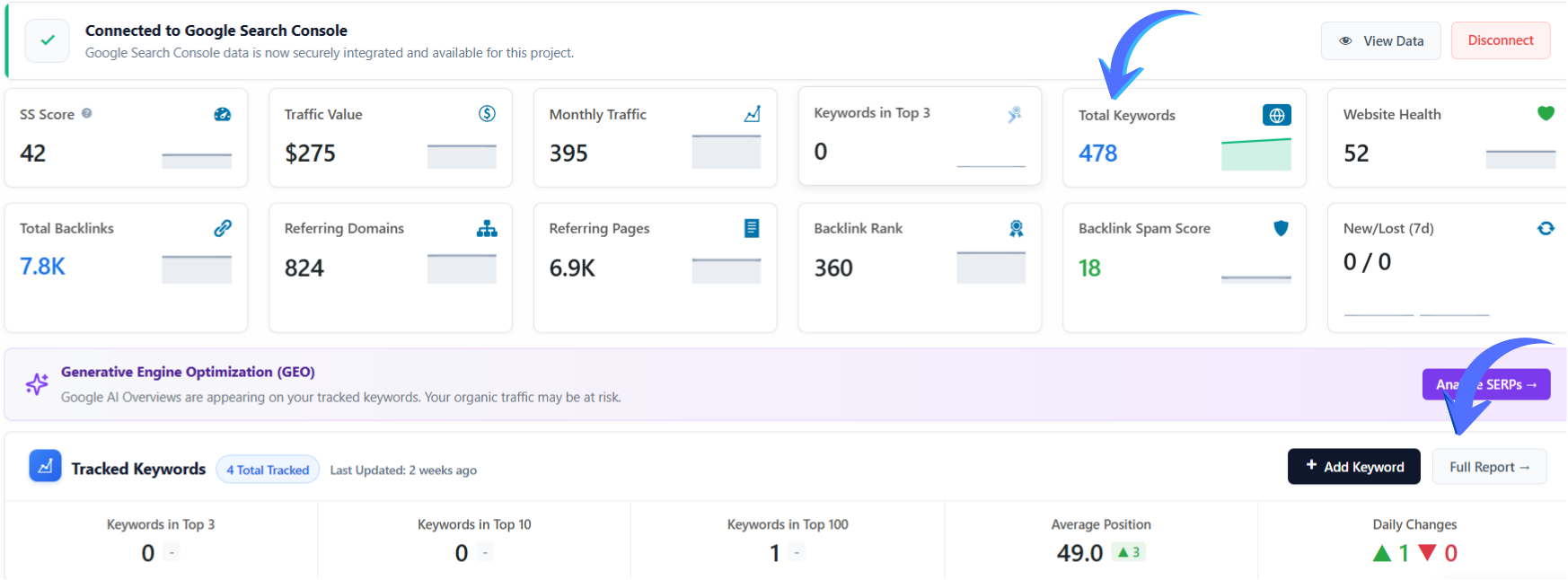
After opening your project, you will see a complete overview of your website’s SEO performance, including traffic, keyword rankings, backlinks, and overall metrics.
Explanation
Once the scan is completed, all SEO data is displayed in the project overview. From here, you can analyze your website’s performance and access detailed keyword tracking through the Total Keywords section or the Full Report, where you can view complete ranking data and insights.
Step 5: View Ranked Keywords & Daily Position Tracking
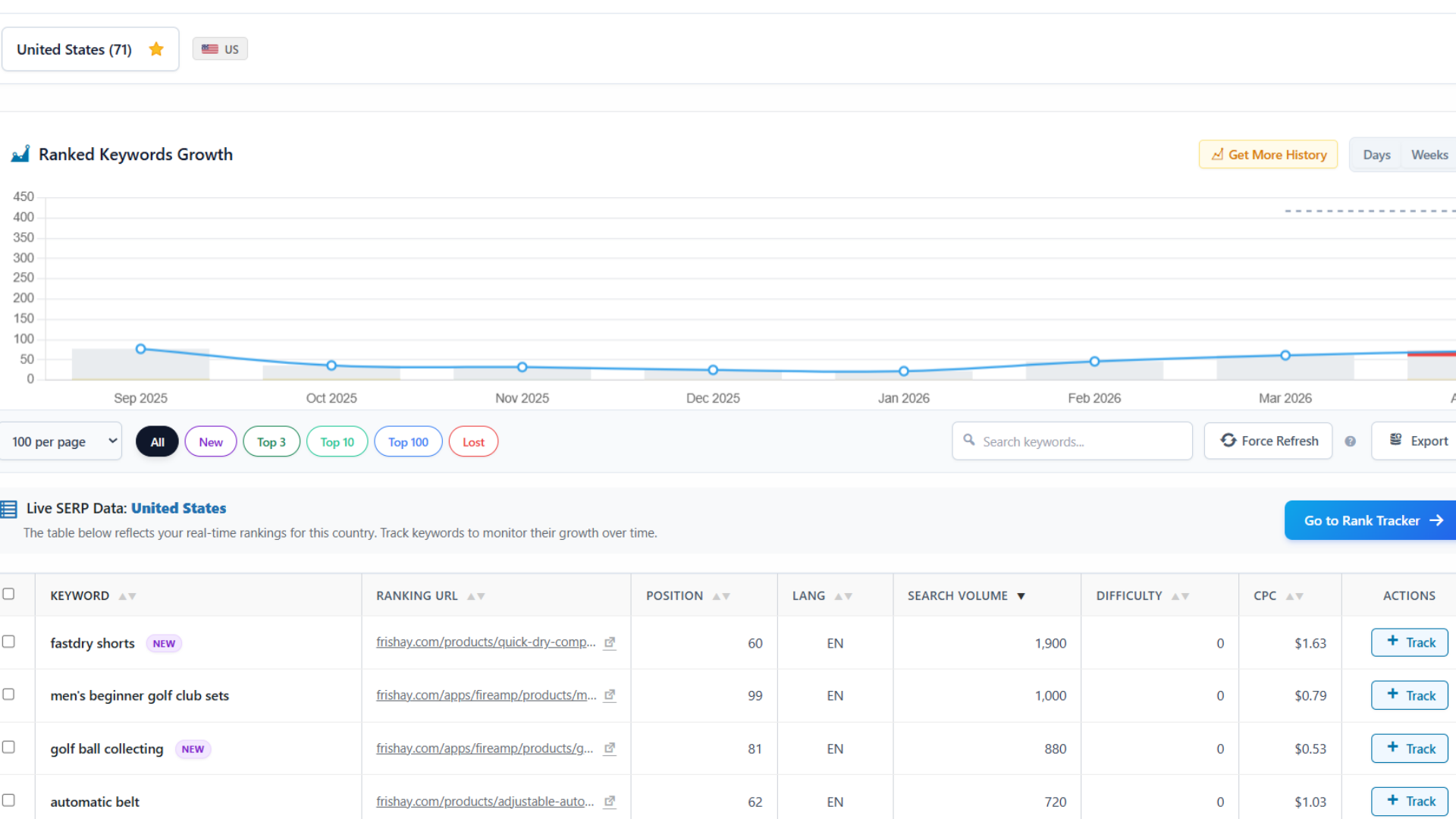
After opening the keyword section, you will see a detailed report of all ranked keywords along with their current positions and performance data. This section helps you track keyword rankings on a daily basis.
Explanation
In this report, you can see complete keyword data including:
- Keyword Name – The search terms your website is ranking for (e.g., fastdry shorts, rubber tees)
- Ranking URL – The exact page ranking for each keyword
- Position – Current ranking in search results (e.g., 60, 70, 99, or dropped >100)
- Search Volume – Monthly searches for each keyword
- CPC – Cost per click value for paid ads
- Difficulty – Competition level of the keyword
You can also:
- Click on the “Track” button to start tracking specific keywords
- Identify keywords that are improving or declining
- Monitor keywords that have dropped out of the top 100
Additionally, the Keyword Growth Graph shows how your rankings change over time, helping you understand overall SEO performance and trends.